-
Is Cloud Computing Working For Small-to-Medium-Sized Businesses – Part 4
December 15 , 2011
-
Does Cloud Computing Make Sense For Your Business- Part 3
December 15 , 2011
-
What is the Benefit of Cloud Computing – Part 2
December 15 , 2011
-
Cloud Computing – Part 1
December 15 , 2011
-
Personal Project: Home Media
September 12 , 2011
Is Cloud Computing Working For Small-to-Medium-Sized Businesses – Part 4![]() Is Cloud Computing Working For Small-to-Medium-Sized Businesses – Part 4
Despite the ongoing criticism, is cloud computing driving change and changing the information technology paradigm? SMBs are getting on board with Cloud computing because of its practicality and its ability to meet the needs of any company simply and effectively. Moving forward, there will continue to be a huge demand for using the latest software, for getting the latest information more quickly, and for having faster transfer rates and larger storage capacities. The bottom line: everything has to be more efficient with minimal limitations. SMBs often don’t have the funds to set up huge, efficient, and fast intranets for themselves; a costly venture in terms of hardware alone. The obvious solution would be to make use of a Cloud service provider in order to keep up with the demands of today’s information technology landscape. Cloud computing is an attractive solution for small-to-medium-sized businesses; providing cost- effective services that are globally accessible and scalable to the specific needs of any company. While it is still a young technology and should be expected to continue to change and improve, more and more SMBs are adopting the Cloud, as a solution to their changing and demanding business information technology needs.
Continue Reading: Does Cloud Computing Make Sense For Your Business- Part 3![]() Does Cloud Computing Make Sense For Your Business – Part 3
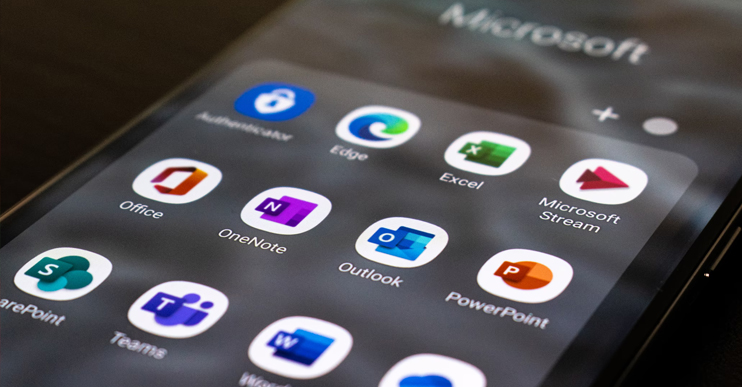
Cloud computing and whether it makes sense really depends on your business and the applications that are critical to the operations of your business. If you are just starting out and setting up a business – check out the cloud and what it can offer. You can get the entire Microsoft Office suite of products from the cloud and rather than pay an upfront license fee to use Word, Excel and PowerPoint, you can “rent” the programs from the cloud for a monthly fee per user. You can do the same with email. If you need an accounting package, there are a number of them available from the cloud. Here is where the next step gets tricky – if you have very specific applications running your business – they may not be cloud ready. Certainly within the manufacturing and engineering arena, the applications required must be installed locally on server systems at the location. They are simply not cloud ready. The opposition to Cloud computing remains relatively the same as it was in Cloud’s infancy; security, reliability and support, privacy but more importantly, the actual productivity generated by using a cloud system, are all concerns. Security issues and reliability are somewhat negated by the customers’ ability to change providers if they are not satisfied with the service provided, thereby forcing the providers to maintain a high level of risk-prevention, which they have. However, Cloud computing service providers must provide solutions and responses to all of the aforementioned factors in order to succeed and to satisfy the needs of the growing population of SMBs. While, in general, the existing service providers are effectively providing solutions for all of these concerns, time will tell if they will be able to keep up with the many and various demands of SMBs. The recent outage with Blackberry created some understandable concerns with many SMBs thinking the same thing can happen to their data on their provider’s servers. Obviously, losing access to that amount of data would be devastating to any business. This is indeed a risk factor associated with any new technology and “way of the future,” but it should be noted that all solutions, no matter how well thought out, no matter how expensive, can fail. Finally, another drawback to Cloud computing is that it relies on a strong connection to the internet. If an SMB has a slow connection, which is often the case for SMBs who need to be careful where they are spending money, connection time to the Cloud servers might be longer than expected, causing a very real limit to productivity.
Continue Reading: What is the Benefit of Cloud Computing? – Part 2 Is Cloud Computing Working for Small-to-Medium-Sized Businesses? – Part 4 What is the Benefit of Cloud Computing – Part 2![]() What is the Benefit of Cloud Computing – Part 2
The resources required to run your business using Cloud infrastructure are minimal; the potential productivity generated is enormous. Most small to medium sized businesses lack the technical skill set required or the expertise to determine whether it makes sense to go “cloud” or not. The ease of Cloud computing allows access for all members of the company to a central resource point. Employees can store information, upcoming projects, schedules and dates, for easy access from anywhere by anyone with the proper permissions. Amazingly, a Cloud infrastructure is offered at a fixed cost per month by a Cloud service provider. Cloud computing was formed out of sites like Wikipedia, WordPress, and others that allow real-time adjustments to be made online. Cloud took it to the next level allowing for massive storage, high-speed connections, security, functionality, and reliability. Perhaps the largest attraction to the Cloud is how data storage is handled and accessed. Having an off-site server significantly cuts down costs and provides a data storage solution that is globally accessible and secure. Within the Cloud system, though it might not be perfect, constant security monitoring will always be there ensuring your systems are monitored and controlled allowing your staff to focus on the business!! The Cloud is situated on the Internet, instead of individual servers, allowing you to share, store, and access your files from anywhere. Cloud service providers can scale the amount of storage and bandwidth provided to precisely fit the needs of each individual SMB, allowing the business to pay only for the services they need.
Continue Reading: Does Cloud Computing Make Sense for Your Business? – Part 3 Is Cloud Computing Working for Small-to-Medium-Sized Businesses? – Part 4 Cloud Computing – Part 1![]()
Cloud Computing – Part 1 WW Works helps organizations move forward in an ever-changing multi sourced world. Services provided through internal and external cloud systems allow for instant on the spot interactivity to your workplace. WW Works’ adaptation of the Cloud offers scalable and very situational advantages to your business.
So, What Does Cloud Computing Mean for Small-to-Medium-Sized Businesses (“SMB”)? Today everything is rapid, mobile, connected and most importantly immediate. The demand for these qualities is paramount and often neglected when it comes to a small business’s managed IT systems. Cloud services provide remote software updates, data access, and storage systems. WW Works’ Instantiation of Cloud services allows for internal and external connectivity allowing 99.999% uptime to your business systems. Moving forward there is a huge demand for using the latest software, recent information, higher transfer rates, and greater storage. Cloud computing is a relatively new phenomenon and catch phrase that everyone is talking about. There are even commercials on TV talking about the “cloud” trying to sell you on how great it is. What is it exactly?? In a nutshell – the cloud is the internet and all it means is that the applications – and the systems the applications run on – are not located in a closet or room near you but are out there in another closet at someone else’s location. You access those systems via the same mechanism that allows you access to the Internet. You have probably already used cloud computing! If you have had a Gmail or Hotmail account – that is cloud computing! All of your email service is sitting on a system in a datacenter providing you access to the application and you simply need the Internet access to get at it. Cloud computing is the delivery of computing as a service rather than a product, whereby shared resources, software, and information are provided to computers and other devices as a utility (like the electricity grid) over a network (typically the Internet)."
Continue Reading: What is the Benefit of Cloud Computing? – Part 2 Personal Project: Home Media
Home Media
Ever since I can remember, I've always been interested in home audio. When I was a kid (way before the internet), I used to run cabling through the heating vents and wire up speakers I had ripped out of various other toys or projects to a central tape player, record player, etc. Tapes were often made by waiting feverishly in front of the radio with my trigger finger on the red record button to capture the latest and greatest hits of the day. Sound quality was obviously hideous, and the first and last couple of seconds of every song were always muffled or part of the DJ's fade-in and fade-out. It was a lot of work, for not a lot of quality, but it was fun! Things have definitely changed a lot in a very short time. With the advent of digital audio formats like MP3's, AAC's, or lesser known lossless formats like FLAC, grabbing music is a lot simpler, faster, more accessible and of far better quality. And even by yesteryear's standards, music is a lot more affordable to obtain. I still remember buying my first CD back in 1986 (Crowded House's self-titled debut) for around $25, while full CD's worth of music now are well under that mark. Playing that music has also become a lot more convenient, reliable, and cheaper. Digital media format players like the iPod have made portable digital audio a skipless (portable CD players were awful at skipping) and "wowless" (tape players would change tone based on movement or head alignment) experience. This is something I had completely forgotten until I had started writing this article! Digital is just so much better for portability than anything else simply because the of the lack of any moving parts. Mechanical devices were so much more susceptible to audio problems that simply don't exist today. Anyway, as digital media became more popular, and my CD collection had grown to a respectable size, I decided to convert all my CD's to the lossless FLAC format. This gave the benefit of digital media, without any loss of fidelity from the original CD, as FLAC is bit-for-bit perfect when compared with the original CD. With a FLAC version of all my CD's, I could simply store my CD's and never have to worry about needing them ever again. FLAC (and it's lossless competitors) has been a boon for audiophiles and digital media freaks alike. Ok, so now I have all my CD's converted, and a portable media player to play them (a RockBox-converted iPod Nano), and I can play them on my PC, but how about playing them through a decent pair of speakers through a decent amp in my living room? That's where the "Home Media" project comes in. I've been exploring various options of playback for several years. Everything from DVD-players that are able to play MP3-loaded disks (but not FLAC), to portable players attached via line-input jacks. Nothing was generally convenient, nor of the same quality as the original CD, until fairly recently. I took the opportunity to purchase a device sold by Roku as the "SoundBridge M1001". It was a small aluminum cylinder with a nice bright display, line output jacks, digital audio output jacks, a remote control, and an ethernet jack and was capable of playing various audio formats (including FLAC) through a piece of software loaded on your PC or a server, through any room in the house where you had amplified speakers. The device was affordable ($150 at the time), easy to use, and also was able to play streaming internet radio stations at far better quality than local FM stations! It was the first device I had bought and actually caught myself saying "it just plain works". I've often purchased various gadgets, and ended up feeling as if they simply wouldn't work as advertised. The SoundBridge device did! To expand my system, I could simply add more SoundBridge devices, and ended up snagging another M1001 as well as two of the SoundBridge radios (a standalone device with built-in speakers and subwoofer). One of the SoundBridge radios acted as a very capable clock radio, so I was able to wake up to my entire music collection or a streaming internet radio station. Talk about convergence of technologies! Everything worked as advertised. However, slightly over a year later, power supplies started to fail, and Roku had abandoned their SoundBridge line products in favour of a NetFlix video streaming device. Even though the devices had worked as expected, and very well at that for over a year, they simply couldn't hold up to extended play due to poorly designed power supplies. I was disappointed, out of warranty, and off looking for an alternative. Slimdevices' SqueezeBox products had always been on my radar, even before they were bought by Logitech, but they were more expensive and didn't seem as widely available as the Roku products at the time. After Logitech purchased Slim Devices, the SqueezeBox products started appearing at some of our technology vendors, as well as local big-box stores, so I took the opportunity to try their newly-released "SqueezeBox Boom" to replace a dead SoundBridge Radio. The SqueezeBox Boom was a direct replacement, and although it lacked a built-in subwoofer it still competed respectably in sound quality. I was back in business, and happy with the SqueezeBox Boom, only to discover a few months later that it stopped responding. However, Logitech was VERY quick to respond and kindly sent me a replacement unit with an extra power supply and remote (thanks Logitech!) that have proved very handy! It's been close to 2 years now without an issue. Now that the SoundBridge Radio was replaced, it was time to find a replacement for the SoundBridge M1001 and the SqueezeBox Duet easily filled that roll. It was a combination of a standalone audio/network unit, along with a fully functioned remote with a built-in screen. The audio quality was excellent, and seemed better than the M1001. The remote, however, had it share of problems including very poor battery life, and slow response times. Software updates further improved response times, but battery life was still not great. So now I had not only CD-quality in the bedroom and main speakers, but both able to access my ENTIRE CD collection independently, play internet streaming radio stations, and the ability to control the audio wirelessly through the SqueezeBox Duet Remote. I was in heaven, and instantly realized this was what I had tried to do way back with speakers and a single tape player, but obviously had stumbled on the nirvana version of this setup. The SqueezeBox Duet Remote was still a little problematic, but a quick app search on my original iPod Touch 1G found "iPeng". I still use iPeng today, and quickly retired the Duet Remote. Logitech has subsequently released the SqueezeBox Radio, which is a standalone, single-speaker version of the SqueezeBox Boom, but with the nice addition of a full colour screen that functions exactly as the Duet Remote's screen. The SqueezeBox Radio has proven handy to have in the kitchen, or even out on the deck, again with full access to my CD collection and internet radio. Adding built-in ceiling speakers (thanks Nick for the help!), a retired JVC Amp, and a SqueezeBox Touch in the main bathroom has made for an incredible experience that I use each and every morning! So, now that the audio side is done, I've started experimenting with Video options. I'll save that for another article… |
|
![]() |